
Free keyword research tools are often enough when you start. While they don’t offer the same depth and insight as paid tools, they still allow you to rank well for content – especially for low difficulty keywords.
You look for two things when doing free keyword research:
- Proof that people are looking for something
- Likelihood of actually winning a spot on page one of Google search and getting AI citations in ChatGPT, Claude, Gemini, Perplexity and Google’s AI overviews
I’ll walk you through a workflow to help you discover who you are already close to ranking and help you find new keywords to target.
We’ll start with Google Search Console (which is what your site is already showing up for) and then test the ideas in the SERPs (which Google currently rewards for). We also take a look at my powerful free Keyword research toolplus handy free browser add-ons to speed up the boring parts of keyword research.
Use my free keyword research tool
Try it free AI-powered keyword tool to get you dozens of research-backed ideas for keywords and topics to write about on your blog today.
Start with Google Search Console because it is real data from your website

Google Search Console shows what Google has already tested your pages for, even if you’re stuck on page two.
Here’s how to use it for keyword research.
First go to Performance → Search results in Google Search Console, then take a look at the Queries Tab.
Your goal is simple: find searches you’re already close to, then move those pages over the edge.
Here’s how:
- Filter by the last 28 days. You want to see what’s currently ranking well, not what was seeing a weird spike a year ago.
- Sort queries by impressions (That’s essentially Search volume).
- Find searches with high impressions and low CTR. High impressions signal strong Search volume. A low CTR means you are being seen but not clicked on. Therefore, the title and snippet are usually not suitable for the intent.
- Click a query to go to the Pages tab. Now you know which URL(s) Google assigns to this search query, even if you didn’t plan it that way.
- Decide: update or create. If the page is close to matching search intent, refresh it. If it doesn’t fit, write a new page and link it internally.
- Write down the exact wording Google shows. These are your rough keyword ideas: what people are actually typing right now to find your content.
In February 2026, Google rolled out a Discover-focused core update that targeted clickbait and brought more local and original content to the Discover feed. It doesn’t change Google Search Console’s keyword reports, but it does mean you may want to pay more attention to the topic Performance → Discover Report if you rely on this traffic. When publishing current or trending content, make sure your headlines are honest and your content specific.
Want to dive deeper into search volume and keyword difficulty? Use my AI-powered free keyword research tool or try Google Keyword Planner (estimating difficulty) and/or Google Trends (checking for seasonality).
Read the SERPs like a researcher, not a tourist
Search Console tells me what is possible for my website. The SERPs (search engine results pages) tell me what ranking Google wants to achieve today.
My rule is: I don’t commit to a keyword until I look at page one and ask, “What does this page of results really consist of?”
Here is an example of the query “How to make money blogging”:
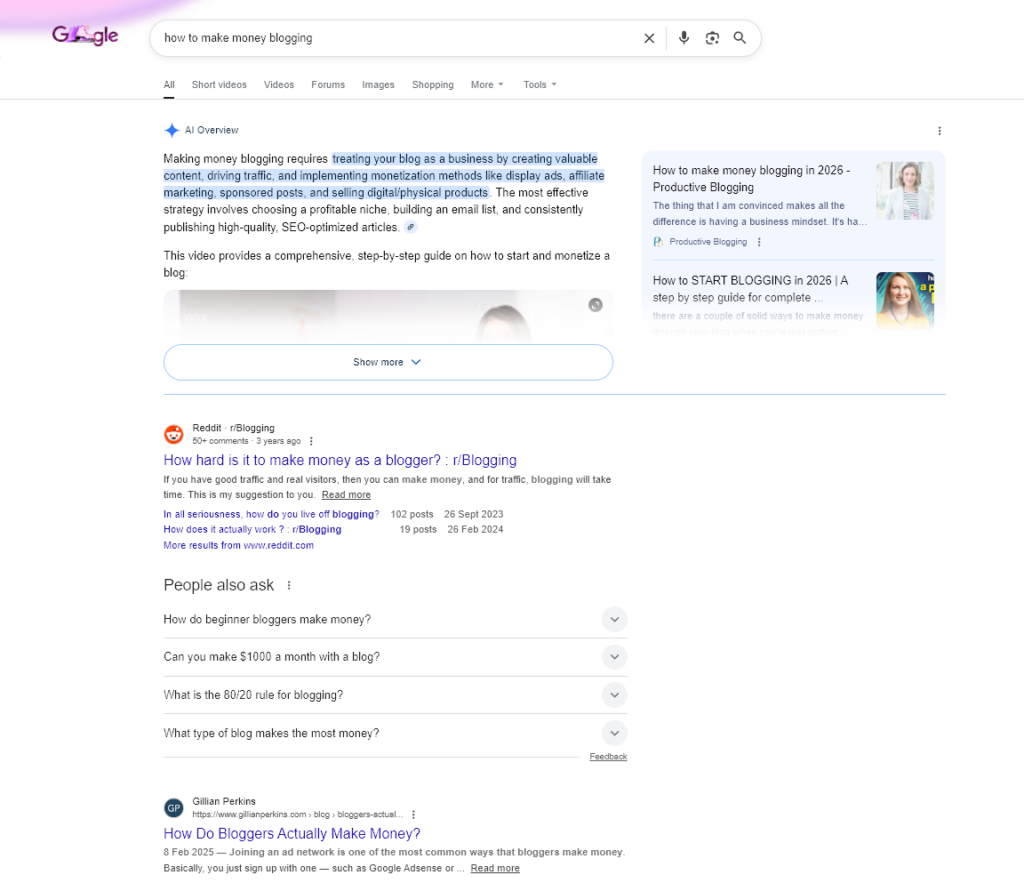
When I Google a search query, I do a competitor analysis on the SERPs. I look for patterns to decipher user intent. Here’s how you can do the same:
- Content type: Are the top organic search results blog posts, category pages, product pages, tools, videos, or forums?
- Content angle: Are they “beginner,” “cheap,” “best,” “near me,” “for small business,” “2026,” or something else?
- Freshness: Am I seeing a lot of recently updated schedules? If so, Google expects new information.
- Brand dominance: If page one is stacked with big brands and government sites, I look for a narrower keyword to target so it’s more reachable.
- SERP features: People Also Ask, the local package (important for local SEO), featured snippet and videos are clues. Basically, this is Google showing how to answer this question.
This competitor analysis gives me a lot of “free” variations of keyword research without tools. I extract sentences:
- People ask too Questions (ideal for subheadings).
- Related searches below (great for spin-off posts).
- The exact wording used in Top H2s and intros (great for matching intentions).
- Google autocomplete And Google Suggest (Enter your query to discover more user intent signals.)
For even more keyword research ideas, use the Ideas tab of my free keyword research tool to quickly view related keywords and keyword suggestions, like this:
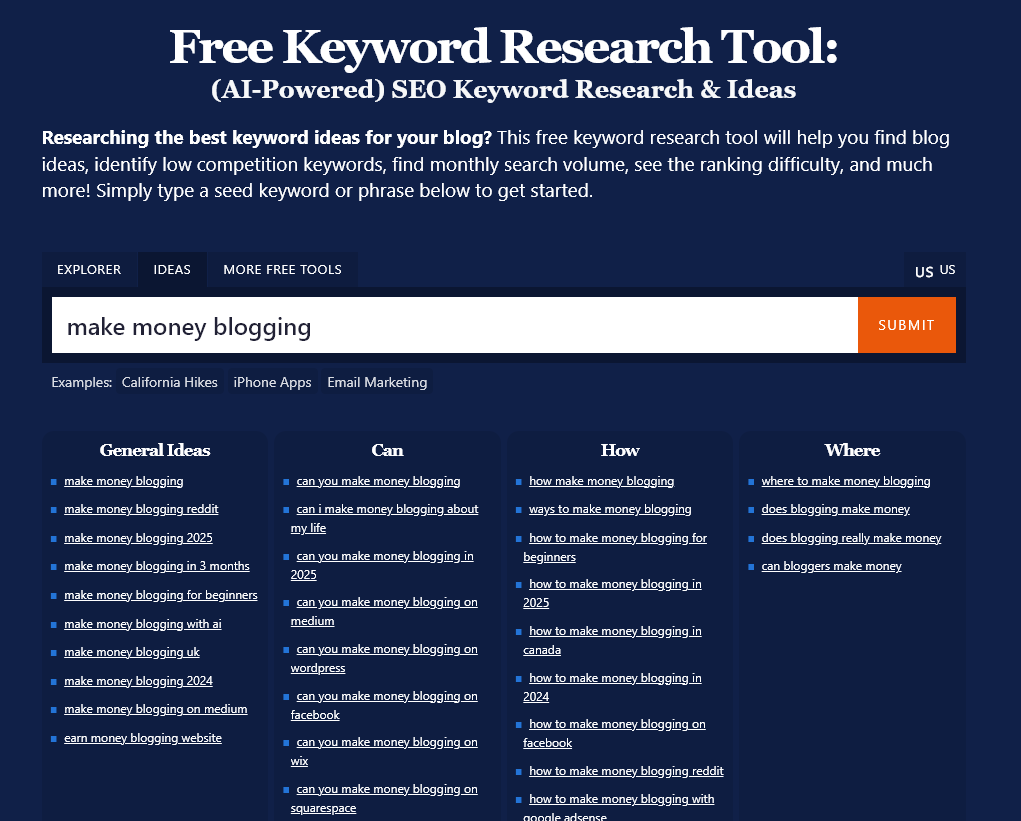
After collecting a handful of related keywords, I organize them into clusters so I don’t write random, one-off posts. This is the difference between “I published content” and “I built topic authority.” If you need help grouping terms together quickly, my keyword cluster tool is a solid free way to group together what belongs together.
Use free browser extensions to speed up work (without blindly trusting them)
Once I know what I’m targeting, I want to act quickly. What I want from free browser extensions for keyword research is instant page-level context as I scan the SERPs and competitor content. A good extension can save me a lot of time.
Here’s what I look for in free browser extensions:
- On-page basics: word count, headings, title tag, meta description, canonical.
- Indexability signals: Noindex tags, Robots statements, render checks.
- Link notes: internal links out, external links out (I don’t count every link, I recognize patterns).
- Notes on Schema and SERP features: FAQ markup, review markup, breadcrumbs.
Some of my (free) favorites are:
- Keyword Surfer – displays search volumes and related keyword ideas directly in the SERP
- MozBar – grants page authority, domain authority, and more
- SEOquake – provides backlinks, keyword difficulty, social stats and more
All of these tools can help you explore Why A particular page ranks high for a search query and how to match it.
Of course, some searches will be difficult to rank for, especially if your blog is very new. This is where long-tail keywords (low competition keywords) come into play: they are specific and usually have clearer intent. Use my long-tail keyword generator for keyword suggestions and related keywords and then check them in the SERPs to get a clear idea of SEO difficulty.
Conclusion: You can achieve a lot with free keyword research tools
You don’t need paid tools to do the keyword research that brings traffic. All you need is Search Console to show you what content Google already trusts, the SERPs to show you what Google rewards, Chrome extensions to make everything easier, and most importantly, my free keyword research tool to get data on search volume and difficulty… plus long-tail ideas.
Solid keyword research will take your blog or website from virtually invisible to ranking well and attracting consistent leads and customers. The time you invest will definitely be worth it, and with all the free options, you have nothing to lose.
Use my 50+ powerful free blogging tools today
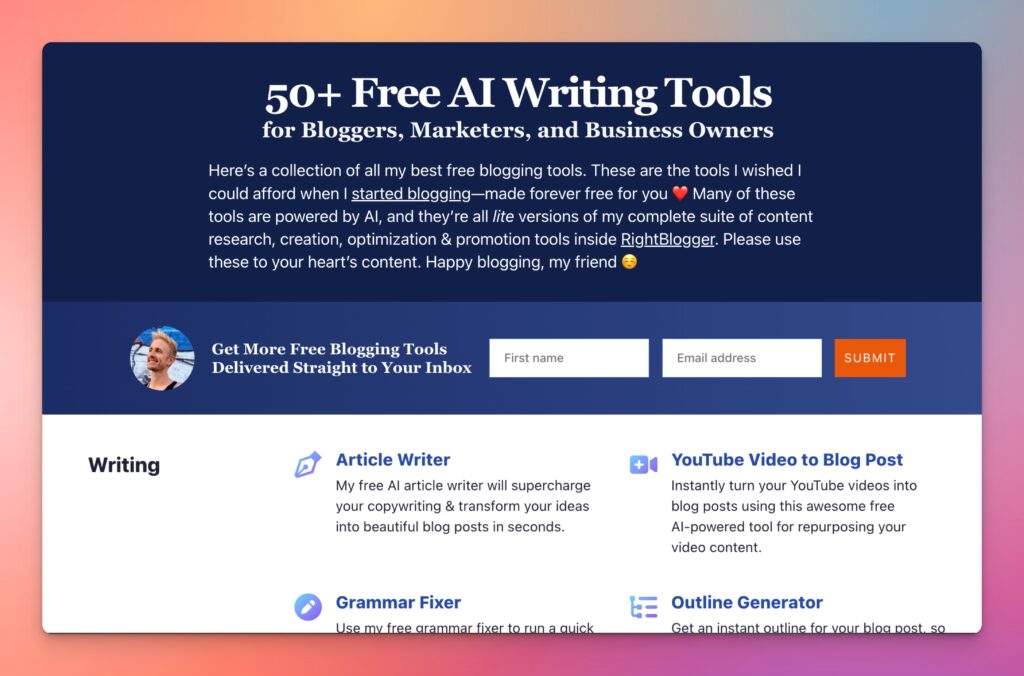
When I started blogging, I couldn’t afford fancy tools. That was shit. And that’s why I’ve built a suite of powerful free blogging tools, ranging from keyword research to an AI article writer, a blog idea generator, and more. Free for everyone forever – no strings attached.
Berita Terkini
Berita Terbaru
Daftar Terbaru
News
Berita Terbaru
Flash News
RuangJP
Pemilu
Berita Terkini
Prediksi Bola
Togel Deposit Pulsa
Technology
Otomotif
Berita Terbaru
Daftar Judi Slot Online Terpercaya
Slot yang lagi gacor
Teknologi
Berita terkini
Berita Pemilu
Berita Teknologi
Hiburan
master Slote
Berita Terkini
Pendidikan
Resep
Jasa Backlink
One Piece Terbaru


